
connections (click to enlarge)
| BotronikS - Final code for all types of Arduino and PC users: -- HOME -- Email: botronik@gmail.com |
| Sensor(s): Lnk1 | ||
| misc: Wires: (link) 1--2--3 | ||
| Arduinos | connections (click to enlarge) |
- Need additional accessories: |
| Free Hex & Exe code! Arduino source code available on email request only (copy and send next text): PCIC104-ARDSC: Price=10 Euro |
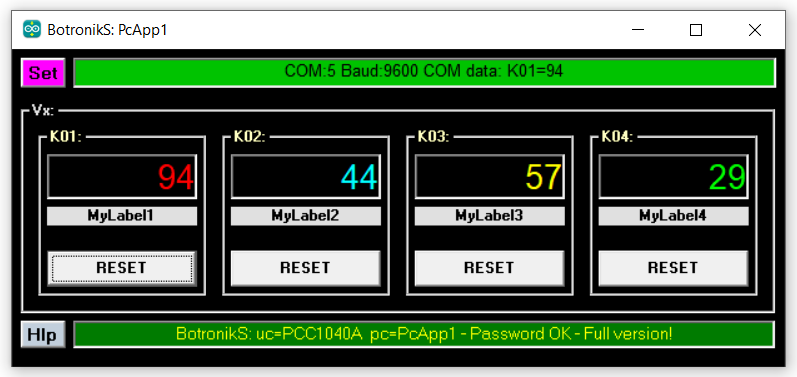
| PCIC104: Up to 4 separate impulse counters with the status display on PC |
| After updating the offered Arduino code and PC Application, it is possible to read counters status on PC screen... |
| For Arduino boards:: NANO -- UNO -- MEGA |
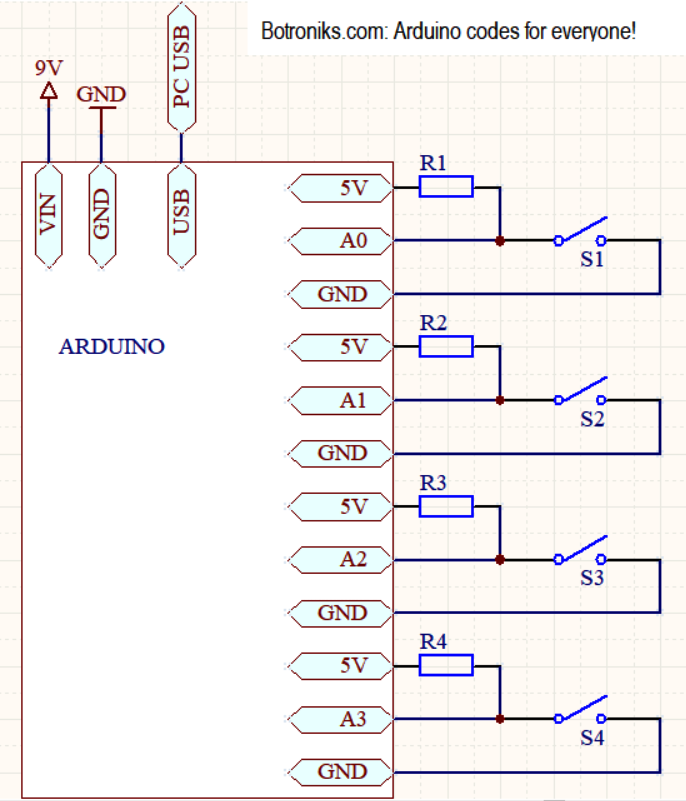
| Arduino pins are used: see connections |
| Electrical note(s): |
| Recommendation (but not required): Use the following accessories for testing as well as for later use: Lnk1 - Lnk2 |
| Used pins are connected to 5V via resistor(s) 3K3-4K7 |
| Only power from the computer's USB port can be used (an external power source (9V) is not required but is recommended) |
| A push button (contact) or some NPN type of sensor (voltage 5V) can be connected to the counter input. - Lnk1 |
| Max counter frequency is up to 2-3Hz. Impuls time min 0,5sec. |
| Max counter value is 1000000 then start at 1 |
| Download the FreeHEX codes below, unpack and upload to the proper Arduino board (Use a free net tool for example XLoader) |
| 1. uc ATmega328-16MHz-5V (NANO,UNO..): PCIC104-m328 |
| 2. uc AtMega2560 (Mega(ATMEGA2560)....): PCIC104-M2560 |
| Description of HexCode commands ( You can test the uploaded code using some free serial communication software such as Termite (select: Append CR)): |
| AT command (ASCII characters + ENTER) - Baud 9600,8 Data bits,None Parity,1 Stop Bit - AT commands must be uppercase, lowercase invalid |
| AT - attention command (return OK) |
| I? - software code info (return ucAppName) |
| RKA - reading all values C01-C04 |
| Cxx=0 - Reset counter xx to 0 (xx=01-04) |
| When the counter(s) increases the state, the value is printed immediately |
| PC Application(s) for offered Hex code (for WINDOWS): |
| In order for the offered PC applications to work, it is necessary to download and install (one time only) VB6RunTimePlus2.2 |
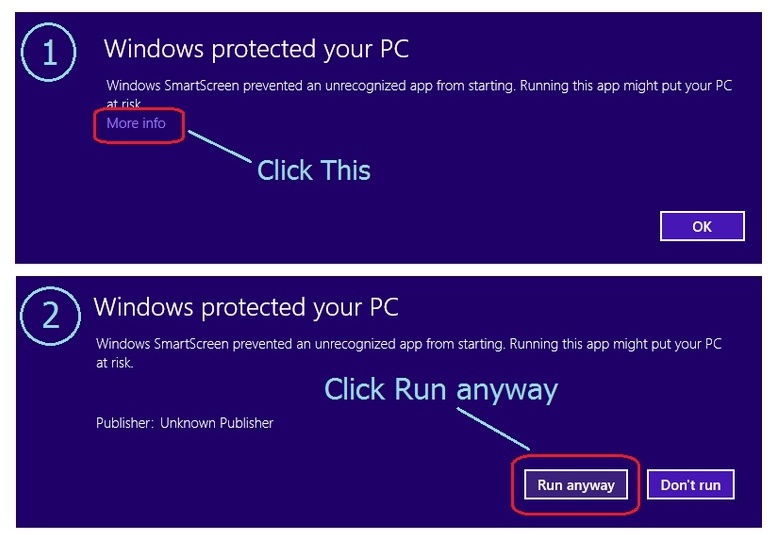
| Download the PC application, unpack, and start (allow windows to start applications - see HOW) enter the COM port number where the Arduino is connected and test it... |
| Download: PcApp1 | |
 |
|